
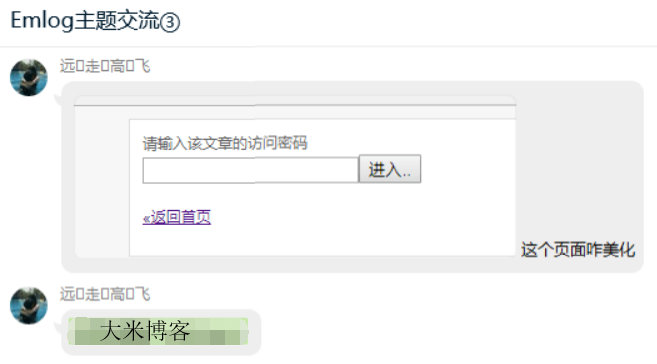
呐,本篇内容就如标题所说的,用于给任意的页面设置访问密码。全部代码都在下头了↓↓↓使用后的效果同。
本篇完……(溜了溜了,继续潜水)
<?php

/********************************************
 * 使用方法:
 *
 * 1、将本段代码保存为 MkEncrypt.php
 *
 * 2、在要加密的页面前面引入这个 php 文件
 *  require_once('MkEncrypt.php');
 *
 * 3、设置页面访问密码
 *  MkEncrypt('页面密码');
 *
********************************************/

// 密码 Cookie 加密盐
if(!defined('MK_ENCRYPT_SALT'))
    define('MK_ENCRYPT_SALT', 'Kgs$JC!V');

/**
 * 设置访问密码
 *
 * @param $password  访问密码
 * @param $pageid    页面唯一 ID 值,用于区分同一网站的不同加密页面
 */
function MkEncrypt($password, $pageid = 'default') {
    $pageid     = md5($pageid);
    $md5pw      = md5(md5($password).MK_ENCRYPT_SALT);
    $postpwd    = isset($_POST['pagepwd']) ? addslashes(trim($_POST['pagepwd'])) : '';
    $cookiepwd  = isset($_COOKIE['mk_encrypt_'.$pageid]) ? addslashes(trim($_COOKIE['mk_encrypt_'.$pageid])) : '';

    if($cookiepwd == $md5pw) return;    // Cookie密码验证正确

    if($postpwd == $password) {         // 提交的密码正确
        setcookie('mk_encrypt_' . $pageid, $md5pw, time() + 3600000, '/');
        return;
    }
?>
<html>
<head>
    <meta http-equiv="Content-Type" content="text/html; charset=UTF-8">
    <meta charset="UTF-8">
    <meta http-equiv="X-UA-Compatible" content="IE=edge">
    <meta name="renderer" content="webkit">
    <meta name="author" content="mengkun">
    <meta name="viewport" content="width=device-width, initial-scale=1.0, minimum-scale=1.0, maximum-scale=1.0, user-scalable=no">
    <title>该页面已被加密</title>
    <style type="text/css">
    *{font-family:"Microsoft Yahei",微软雅黑,"Helvetica Neue",Helvetica,"Hiragino Sans GB","WenQuanYi Micro Hei",sans-serif;box-sizing:border-box;margin:0px;padding:0px;font-size:14px;-webkit-transition:.2s;-moz-transition:.2s;-ms-transition:.2s;-o-transition:.2s;transition:.2s}
    html,body{width:100%;height:100%}
    body{background-color:#F4F6F9;color:#768093}
    input,button{font-size:1em;border-radius:3px;-webkit-appearance:none}
    input{width:100%;padding:5px;box-sizing:border-box;border:1px solid #e5e9ef;background-color:#f4f5f7;resize:vertical}
    input:focus{background-color:#fff;outline:none}
    button{border:0;background:#6abd09;color:#fff;cursor:pointer;opacity:1;user-select:none}
    button:hover,button:focus{opacity:.9}
    button:active{opacity:1}
    .main{width:100%;max-width:500px;height:300px;padding:30px;background-color:#fff;border-radius:2px;box-shadow:0 10px 60px 0 rgba(29,29,31,0.09);transition:all .12s ease-out;position:absolute;left:0;top:0;bottom:0;right:0;margin:auto;text-align:center}
    .alert{width:80px}
    .mk-side-form{margin-bottom:28px}
    .mk-side-form input{float:left;padding:2px 10px;width:77%;height:37px;border:1px solid #ebebeb;border-right-color:transparent;border-radius:2px 0 0 2px;line-height:37px}
    .mk-side-form button{position:relative;overflow:visible;width:23%;height:37px;border-radius:0 2px 2px 0;text-transform:uppercase}
    .pw-tip{font-weight:normal;font-size:26px;text-align:center;margin:25px auto}
    #pw-error {color: red;margin-top: 15px;margin-bottom: -20px;}
    .return-home{text-decoration:none;color:#b1b1b1;font-size:16px}
    .return-home:hover{color:#1E9FFF;letter-spacing:5px}
    </style>
</head>
<body>
    <div class="main">
        <svg class="alert" viewBox="0 0 1084 1024" xmlns="http://www.w3.org/2000/svg" width="80" height="80">
            <defs><style/></defs>
            <path d="M1060.744 895.036L590.547 80.656a55.959 55.959 0 0 0-96.919 0L22.588 896.662a55.959 55.959 0 0 0 48.43 83.907h942.14a55.959 55.959 0 0 0 47.525-85.534zm-470.619-85.172a48.008 48.008 0 1 1-96.015 0v-1.567a48.008 48.008 0 1 1 96.015 0v1.567zm0-175.345a48.008 48.008 0 1 1-96.015 0V379.362a48.008 48.008 0 1 1 96.015 0v255.157z" fill="#FF9800"/>
        </svg>

        <form action="" method="post" class="mk-side-form">
            <h2 class="pw-tip">该页面已被加密</h2>
            <input type="password" name="pagepwd" placeholder="请输入访问密码查看" required><button type="submit">提交</button>
            <?php if($postpwd): ?>
            <p id="pw-error">Oops!密码不对哦~</p>
            <script>setTimeout(function() {document.getElementById("pw-error").style.display = "none"}, 2000);</script>
            <?php endif; ?>
        </form>
        <a href="/" class="return-home" title="点击回到网站首页">- 返回首页 - </a>
    </div>
</body>
</html>
<?php
    exit();
}



 好
好